 NaturalRewrite
How to Make Text Sound More Professional
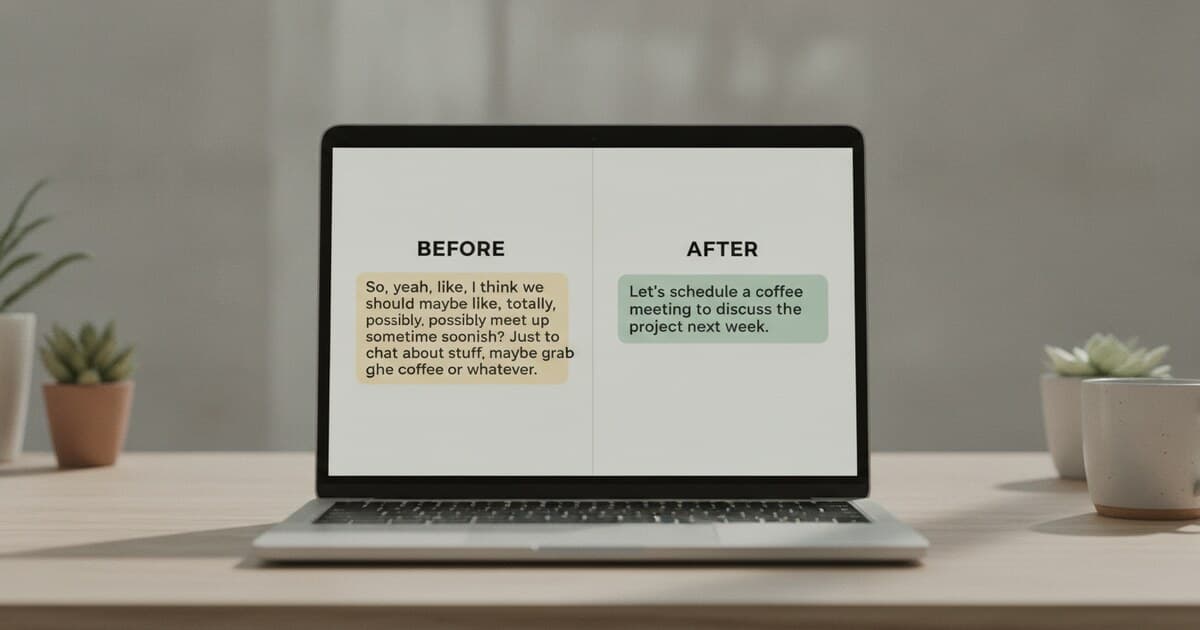
The first draft of a message, email, or report often says the right thing but sounds slightly off. The words are there. The meaning's clear. Something about it still reads as rushed, casual, or unpolished. Learning how to make text sound more professional isn't about swapping every word for a fancier synonym. The actual fix is usually simpler: cut filler, tighten structure, and pick words that carry weight without sounding stiff. This guide covers seven techniques that work across emails, reports, LinkedIn posts, and anything else you write at work, plus a before-and-after section so you can see each change in practice.
To make text sound more professional, remove filler phrases like "just wanted to check in," switch from passive to active voice, and replace vague words with specific ones. Match vocabulary to your audience without over-formalizing. For AI-generated drafts, running text through a Professional tone rewriter takes care of most issues in one step.
What "Professional" Actually Means in Writing
Most people assume professional writing equals formal writing. It doesn't. Professional writing is clear, confident, and appropriate for its context. A project update to your team doesn't need the same register as a board presentation. A LinkedIn post can use conversational language and still come across as credible. What professional writing avoids is anything that signals carelessness: sloppy grammar, vague claims, unnecessary hedging, and filler phrases that pad sentences without adding meaning.
Professional writing sits at the intersection of clarity, precision, and context-awareness. Linguists studying business communication consistently find that writing perceived as "professional" shares four traits: active sentence constructions, minimal hedge words that weaken claims, abstract statements anchored to concrete details (dates, numbers, named outcomes), and vocabulary matched to the reader's domain knowledge without tipping into jargon. Research on workplace email analysis shows that messages rated as "highly credible" by recipients averaged 17% fewer words than matched messages rated "unclear" on the same topics. Professional tone doesn't require a larger vocabulary. In most workplace contexts, shorter, more direct sentences outperform formal-sounding but padded ones. The distinction matters because overcorrecting toward formality creates a different problem: writing that sounds stiff, distant, or robotic rather than authoritative. The goal is confident and clear, not stilted and corporate.
7 Techniques to Make Text Sound More Professional
These techniques apply whether you're rewriting an AI draft or polishing something you wrote yourself.
1. Cut filler phrases
Filler phrases are the biggest culprits in unprofessional writing. They add words without adding meaning.
Common fillers to remove:
- "Just wanted to check in" — use "Following up on..." instead
- "I was wondering if you could" — use "Could you..."
- "As per my previous email" — use "As I mentioned"
- "Please don't hesitate to reach out" — use "Let me know if you have questions"
- "Hope this email finds you well" — delete it entirely
Each removed phrase saves 5-10 words per message. Over a full email chain, that's significant.
2. Switch to active voice
Active voice puts the subject doing the action. Passive voice buries who's responsible.
Passive: "The report was submitted by the team on Tuesday." Active: "The team submitted the report on Tuesday."
Active voice reads faster and assigns ownership clearly. Both matter in a professional context, especially in emails where accountability is at stake.
3. Replace vague language with specific details
"Soon," "a few," and "some improvement" signal that you haven't finished thinking through your point. Replace them.
Vague: "We'll send that over shortly." Specific: "We'll send that by Thursday at 3 PM."
Vague: "Several customers had issues." Specific: "12 customers reported login errors this week."
Specificity builds credibility. Concrete details show that you know your subject, and they give the reader something to act on.
4. Adjust vocabulary without reaching for the thesaurus
Better word choice doesn't mean longer words. It means more precise ones.
"Use" instead of "utilize." "Start" instead of "commence." "Help" instead of "facilitate." Simple, direct verbs carry more authority than bureaucratic ones.
That said, some vocabulary swaps do sharpen professional writing:
- "Request" over "ask for" in formal writing
- "Confirm" over "let me know"
- "Discuss" over "have a chat about"
The test: would a confident senior colleague write it that way? If yes, keep it.
5. Tighten your sentence structure
Long sentences with multiple clauses crammed together lose readers halfway through. Break them up.
Before: "Considering the fact that we've been working on this project for several months and have hit multiple obstacles along the way, I thought it would be a good idea to schedule a check-in call."
After: "We've hit a few obstacles on this project over the past few months. A check-in call would help. When works for you?"
Shorter sentences are easier to scan, easier to respond to, and harder to misinterpret.
6. Match tone to context
What counts as professional shifts depending on where the writing appears. An internal Slack message can be direct and brief. A formal proposal to a client needs more structure and care. A LinkedIn post works best at the conversational-yet-credible register.
The mistake is treating everything like a formal document. Over-formality in a quick team message creates friction. Under-formality in a client deliverable creates doubt about your competence.
Read the context. Then write to it.
7. Cut contractions selectively
Contractions (don't, can't, won't) make writing feel human. In most workplace writing, they're fine. But in formal deliverables, like legal documents, board reports, RFP responses, and academic submissions, dropping contractions shifts the register noticeably upward.
"The results do not support the original hypothesis" reads differently than "the results don't support the original hypothesis." The second version isn't wrong, but the first fits certain formal contexts better.
For everyday emails and internal communication, contractions are the right call. Removing all of them in every context makes writing sound stiff.
Before and After: Making Text Sound More Professional
The fastest way to learn is to see the changes in action. Here are four rewrites with the reason for each change.
Email follow-up
Before: "Hi, just wanted to check in about the proposal I sent over a few weeks ago. If you have any thoughts or feedback, would love to hear them!"
After: "Following up on the proposal I sent on August 28. Do you have feedback, or would a short call be easier?"
What changed: cut the filler ("just wanted to check in"), named a specific date, replaced the exclamation mark with a concrete next step, and cut the word count from 39 to 22 words.
Project update
Before: "Things have been going pretty well on the project. We ran into some issues but are working through them."
After: "The project is on track for the October 3 deadline. We hit two API integration issues this week and resolved one. The second is scheduled for resolution by Friday."
What changed: named the deadline, quantified the issues (two, not "some"), added a resolution status.
Performance review comment
Before: "This person is really good at their job and always helps out."
After: "Maria consistently delivers work ahead of deadline and flags blockers before they affect the broader team."
What changed: named the person, replaced "really good" and "helps out" with specific, observable behaviors.
LinkedIn post
Before: "Super excited to share that we just launched our new product! It's been an amazing journey and we're so grateful for the support."
After: "We launched today. After 14 months of development and testing with 200 early users, [Product] is live. Here's what we built and why."
What changed: stripped hype language, added concrete numbers (14 months, 200 users), shifted from emotional framing to substance. The post still lands warmly; it just doesn't reach for adjectives to do the work.
How AI Can Help Make Text Sound More Professional
Rewriting for tone takes time. Each technique above requires reading the draft critically, identifying what's weak, and rephrasing on the spot. For short pieces, that's manageable. For longer documents or high-volume writing, it adds up fast.
NaturalRewrite's Professional tone mode handles this in one step. Paste your draft, select Professional, and the tool rewrites for polished business language: active voice, tighter structure, vocabulary that fits a workplace context. It preserves your meaning while stripping filler and vagueness.
The free tier includes 5 Professional tone rewrites per day with up to 300 words per run. Starter ($7/month) gives 30 rewrites per day with up to 1,500 words per request. You can run the output through the free AI humanizer if the rewrite needs further adjustment.
For rephrasing specific phrases without rewriting the full text, the paraphrasing tool works on passages up to 300 words with no account required.
If you're rewriting AI-generated drafts and want writing tips before you hand anything to a tool, the guide on AI writing tips to sound human covers the overlap between human voice and professional tone. For a direct Grammarly comparison, see can Grammarly humanize AI text.
Frequently Asked Questions
What's the fastest way to make text sound more professional?
Cut filler phrases first. Phrases like "just wanted to check in," "hope this finds you well," and "please don't hesitate" add words without adding meaning. Remove them and your writing tightens immediately, usually without needing to change anything else.
Should I avoid contractions in professional writing?
It depends on the context. In emails, internal messages, and most workplace writing, contractions read as natural and confident. In formal deliverables like legal documents, academic papers, or board reports, dropping contractions shifts the register higher and fits better.
Is formal writing the same as professional writing?
Formal and professional aren't identical. Professional writing is clear, confident, and appropriate for its context. Overly formal writing can read as stiff or distant, which undermines credibility in everyday business communication. Aim for direct and precise rather than elevated and verbose.
What words make writing sound more professional?
Precision matters more than vocabulary size. Replace "soon" with a specific date. Replace "some issues" with the actual count. Replace vague verbs with specific ones like "resolve," "produce," or "support." Concrete language signals expertise more reliably than formal-sounding synonyms.
Can AI rewrite text to sound more professional?
Yes. AI tone rewriters like NaturalRewrite's Professional mode rephrase drafts into polished business language quickly. They work best on clear source text where the meaning is already solid. Run the output once and adjust for anything the tool missed, usually a nuance in phrasing that context requires.
If you're working through a stack of emails, reports, or messages that need a professional tone pass, NaturalRewrite handles the rewrite in seconds. The free AI humanizer includes the Professional mode with no credit card required.