 NaturalRewrite
GPTZero Humanizer: Rewrite AI Text to Pass Detection
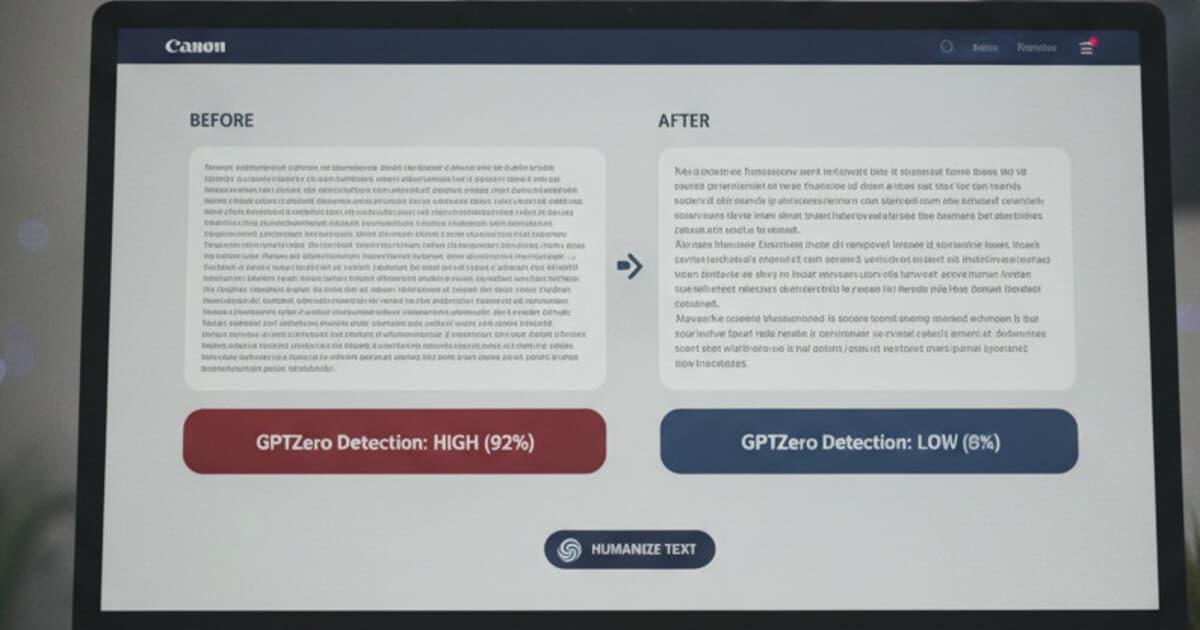
GPTZero flagged your text. Maybe you incorporated a few AI-generated paragraphs into a paper, or you used an AI assistant to draft something and edited it by hand. Either way, the detection score came back high and you need to fix it before submitting.
A GPTZero humanizer is a rewriting tool built to target the specific statistical signals GPTZero uses to flag AI content. Understanding those signals, and how to change them, is what separates tools that actually work from ones that swap a few synonyms and hope for the best.
A GPTZero humanizer rewrites AI-generated text by targeting perplexity (word-choice predictability) and burstiness (sentence-complexity variation). AI text scores low on both. A proper humanizer shifts those signals into human ranges, which drops the GPTZero detection score. Simple paraphrasers don't change the underlying statistical structure, which is why they often fail.
What GPTZero Actually Detects
GPTZero was built by Princeton computer science student Edward Tian and launched in January 2023 after Tian shared it publicly. It went viral almost immediately and is now used by educators, universities, and publishers worldwide to check for AI-generated content.
The detection method is built around two statistical signals.
Perplexity measures how unpredictable the text is at the word level. AI language models like GPT-4, Claude, and Gemini generate text by selecting high-probability words at each step. That process produces consistently low-perplexity text because the model always favors the most statistically likely word sequence.
Burstiness captures variation in sentence complexity. Human writers mix short punchy sentences with longer, more complex ones naturally. AI output tends to produce sentences of similar length and structure throughout a passage, which registers as low burstiness.
GPTZero combines both signals to output an overall AI probability score. The sentence-level highlighting, which marks individual lines it considers most AI-like, is particularly useful. It tells you exactly which passages need the most attention rather than leaving you guessing.
GPTZero launched in January 2023 after Princeton student Edward Tian made it publicly available, making it one of the earliest widely adopted AI content detectors. The tool flags text using two core signals: perplexity, which measures word-level predictability (AI models consistently pick statistically probable word sequences, producing low perplexity scores), and burstiness, which measures variation in sentence complexity (AI output tends to stay flat in sentence length, while human writing mixes short and long sentences). GPTZero's free tier checks up to 5,000 characters per scan with sentence-level highlighting included. Paid plans run from $10 to $23 per month and add batch scanning and API access. The detector covers output from GPT-4, Claude, Gemini, Llama, Mistral, and other major models. Independent third-party testing typically puts GPTZero's accuracy in the 85-93% range depending on text length and how much manual editing occurred before scanning.
Why Basic Paraphrasing Fails the GPTZero Test
Most people's first attempt is a run through a paraphrasing tool or manual word substitution. It usually doesn't move the GPTZero score much, and the reason goes back to what GPTZero actually measures.
Synonym substitution doesn't change perplexity significantly. If the underlying sentence structure stays intact, the word-choice distribution stays predictable too. GPTZero scores the probability distribution across entire sequences, so a surface-level rewrite leaves that statistical pattern mostly untouched.
Manual paraphrasing does better, but only when you also vary sentence length and structure at the same time. Rewriting the words while keeping a flat rhythm won't move the burstiness score. Both signals need to shift together, and doing that consistently by hand across an entire document is much harder than it sounds.
There's also a consistency problem with manual edits. One paragraph might end up with good sentence variation while the next stays flat. A detection scan will still flag the flat sections even if you fixed everything else. A systematic humanization pipeline processes the whole document more evenly, which is why the results are more reliable.
For more on how these detection signals work across different tools, see our breakdown of how AI detectors work.
How a GPTZero Humanizer Rewrites the Signal
A proper GPTZero humanizer works at the structural level rather than just swapping vocabulary.
NaturalRewrite uses a multi-model pipeline instead of synonym substitution. The pipeline rewrites text by varying sentence length, altering word-choice distributions, and injecting natural complexity variation across the document. The goal is to push both perplexity and burstiness into ranges that read as statistically human to GPTZero's detection model.
The 5 tone modes (Standard, Casual, Academic, Professional, Creative) aren't just stylistic preferences. Each one targets a different burstiness pattern. Academic mode produces the sentence complexity typical of formal research writing, where longer analytical sentences sit next to shorter definitional ones. Casual mode generates shorter, choppier variation. Picking the right mode for your document type makes a real difference in how much the detection score drops.
Custom writing style profiles (available on Pro and Unlimited tiers) let you save a voice baseline. That means the humanized output sounds like it came from you specifically, not from a generic rewriter.
Step-by-Step: Using NaturalRewrite as Your GPTZero Humanizer
The process runs in 3 steps.
Step 1: Paste your text. Drop the AI-generated content into NaturalRewrite's editor. Word limits per request depend on your plan: 300 words on Free, 1,500 on Starter, 3,000 on Pro, and 5,000 on Unlimited.
Step 2: Choose a tone mode. Pick the mode that fits your document type. Academic mode for papers and essays. Standard or Casual for blog posts and general writing. Each mode targets a different burstiness pattern, so the choice has a real effect on your score.
Step 3: Humanize and review. The pipeline processes your text and returns a version with shifted perplexity and burstiness scores. Read through the output before submitting, especially for technical content where terminology matters.
If your document is longer than your per-request limit, split it into sections and work through them one at a time. The free plan allows 5 humanizations per day, so longer documents may take more than one session.
Paste your AI draft into the editor, humanize it, review the output, then submit. NaturalRewrite rewrites existing text rather than generating content from scratch, so you need a draft to start with.
Verify Your GPTZero Score Before Submitting
Running a humanizer and submitting immediately is a risk worth skipping. GPTZero's sentence-level analysis can still flag specific lines even if the overall score dropped. A detection check before submission tells you exactly where you stand and whether any lines need another pass.
NaturalRewrite has a built-in AI detection checker that runs after humanization. Free accounts get 3 checks per day. Starter and above get unlimited checks. You can humanize and verify in the same tab without bouncing between apps or pasting into a separate tool.
The checker runs your text against multiple AI detection models simultaneously, covering your exposure across several major detectors at once. That matters if your instructor or editor uses more than one tool.
If the score is still higher than you'd like after the first humanization run, try switching tone modes and running it again. Academic mode and Standard mode produce different burstiness patterns, so swapping between them sometimes produces a better result on the second attempt.
For a full walk-through of the GPTZero bypass process, including which score ranges to target and which settings work best, see How to Bypass GPTZero. If you're not sure whether GPTZero's original score is even reliable, Is GPTZero Accurate? covers the false positive rate and when scores can't be trusted.
Try it yourself: paste your text into the free AI humanizer — 5 humanizations a day, no credit card.
Frequently Asked Questions
What is a GPTZero humanizer?
A GPTZero humanizer is a rewriting tool that targets the two signals GPTZero uses to flag AI text: perplexity (word-choice predictability) and burstiness (sentence-complexity variation). Basic paraphrasers swap vocabulary but leave the statistical structure intact. A proper humanizer rewrites at the structural level, shifting both signals into ranges that read as human-written to GPTZero's detection model.
Does NaturalRewrite work on text that GPTZero has already flagged?
Yes. Paste the flagged text, choose a tone mode, and the humanizer rewrites it to shift the perplexity and burstiness signals GPTZero detected. After humanizing, run the built-in detection checker to confirm the score dropped before you submit. Academic mode works best for academic papers; Standard or Casual mode handles most other content types.
How many words can I humanize for free?
NaturalRewrite's free plan handles up to 300 words per humanization request, with 5 humanizations per day and 3 detection checks per day. Starter ($7/month) handles 1,500 words per request with 30 humanizations per day. Pro ($19/month) handles 3,000 words per request, and Unlimited ($39/month) handles 5,000 words with no daily cap on humanizations.
Will the humanized text still make sense?
The pipeline preserves meaning while restructuring the statistical patterns GPTZero detects. You should review the output before submitting, especially for technical content where specific terminology matters. The rewriting process focuses on sentence structure and word distribution, not on changing the underlying facts or arguments.
Can I use a GPTZero humanizer for content that wasn't AI-generated?
GPTZero sometimes flags human-written text as AI, especially formal or structured prose. If you're getting a false positive, running your text through NaturalRewrite on Academic mode can shift those statistical signals without altering your meaning. The built-in detection checker lets you verify the result before submitting.
If GPTZero flagged your text, paste it into NaturalRewrite, pick a tone mode, and run the humanizer. Use the built-in detection checker to verify your score before submitting. The free plan covers 300 words per request with 5 humanizations and 3 checks per day, and no credit card is required. Start at naturalrewrite.com.