 NaturalRewrite
Does Examity Detect AI Writing? (2026 Guide)
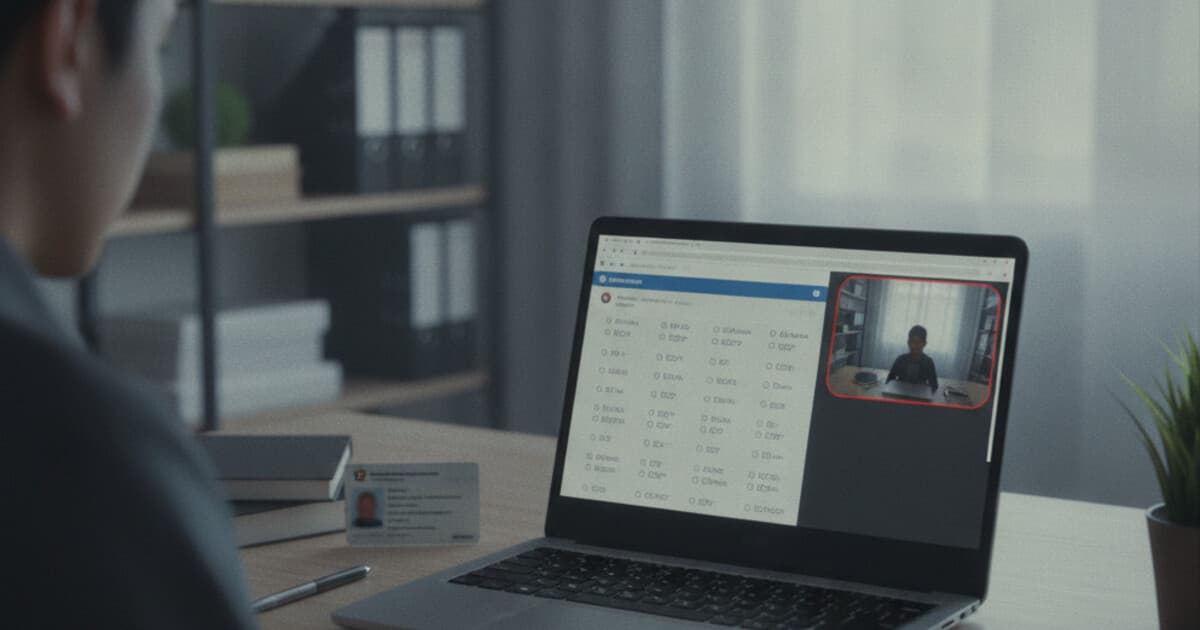
You've opened the Examity portal, completed the ID check, and watched the proctoring session start before a remotely administered exam. Students at more than 500 universities, professional certification programs, and corporate training organizations use Examity regularly, and a question comes up often: does Examity detect AI writing in essay responses? Examity is one of the most widely deployed online proctoring platforms, which is a different category of software from the AI detection tools that have become fixtures in academic integrity enforcement. Understanding what proctoring does versus what detection does matters more than most students realize before they sit down to write.
Examity doesn't detect AI writing. The platform monitors test-taker behavior during exam sessions: webcam footage, screen activity, audio, and in some configurations a browser lockdown. Any AI writing detection that follows submission is a separate, institution-controlled process using external tools. Examity watches how you take the test. Content analysis of what you write isn't part of the platform.
What Examity Actually Does
Examity was founded in 2012 and is headquartered in Boston, Massachusetts. The company offers 3 proctoring models to institutions: Live proctoring (a human proctor watches the session in real time), Automated proctoring (AI-based monitoring software that flags suspicious behaviors for post-exam human review), and Record and Review (the full session is recorded and a proctor reviews it after the exam ends). Examity integrates with major LMS platforms including Canvas, Blackboard, Moodle, and D2L, and is used by more than 500 universities, professional certification bodies, and corporate training programs. During an exam, the platform requires webcam access, microphone permissions, and screen sharing. The monitoring system flags specific behaviors: face absent from camera, multiple faces visible, background noise, prohibited materials on desk, unusual eye movement patterns, window switching, and unauthorized application use. Each flag gets timestamped and included in a session report that institution staff and instructors can review after the exam ends. The platform produces behavioral data throughout the exam window. Content analysis of written responses isn't part of what Examity captures or reports.
The specific monitoring features vary by proctoring model and institution configuration. Live proctoring sessions include a proctor who can communicate in real time, end the session if a violation occurs, and flag the session immediately. Automated proctoring records the full session and runs behavioral analysis software, producing a risk score and a flagged incident report for institution review afterward. Record and Review sits between them: recorded without a live proctor present, reviewed by a human afterward.
Does Examity Scan Written Responses for AI Writing?
No. Examity doesn't include a built-in AI writing detector. Written responses in essays and short-answer questions pass through Examity's system as exam content, but the platform doesn't analyze text for AI patterns. What Examity captures from written responses is behavioral data: how long you spent typing, whether you switched windows while composing, whether anything prohibited appeared on screen.
Whether your written responses get checked for AI writing afterward depends entirely on your institution. Some universities download exam responses and run them through external tools like Turnitin's AI indicator, GPTZero, or Originality.ai as a separate post-submission step. Others rely entirely on faculty judgment during grading. Your school's academic integrity policy or course syllabus is where that answer actually lives.
Examity's session report gives institutions supporting context if they decide to investigate further. The report documents what you had access to during the test, what flags occurred, and what your screen showed throughout. That context doesn't identify AI writing, but it does establish what tools were accessible during the exam window.
What Examity Monitors During a Session
Screen sharing is central to how Examity works, and it affects AI tool access in ways worth understanding clearly.
During a proctored session, Examity requires screen sharing of your full desktop. A live proctor or the automated monitoring software can see every application you open. Open a browser and navigate to ChatGPT, and that activity is visible on screen. For Live proctoring, a proctor can end the session immediately. For Automated proctoring, the window switch and external site visit get flagged and timestamped in the session report.
Whether internet access is fully blocked depends on your institution's Examity configuration. Some exam setups require a lockdown browser that prevents opening other applications or websites entirely. Others use standard screen sharing with behavioral monitoring but don't lock down the browser. Check your exam instructions before sitting down. If a secure browser download is required before the exam, assume non-exam browsing is blocked at the software level. If the instructions don't mention a lockdown browser, screen sharing is the primary monitoring mechanism.
In either configuration, using AI tools during an Examity proctored session carries real detection risk. Visible screen activity is a timestamped record, and behavioral flags in the session report give institutions clear grounds for follow-up.
How Schools Handle AI Detection After Examity Exams
Post-submission is where AI detection exposure actually sits for Examity users, and the variability across institutions is wide.
Some programs route written responses through an existing detection workflow. A faculty member who grades a response that seems inconsistent with a student's previous work might request a check with an external tool. Programs with Turnitin licenses can run downloaded exam essays through Turnitin's AI writing indicator manually. These are institution-driven decisions, not automatic Examity features.
Faculty graders also make independent assessments. Instructors who've scored the same exam across multiple cohorts notice when a response reads differently from what the exam conditions typically produce. Unusually polished structure in a timed response, vocabulary inconsistent with previous written work, or transitions that look too clean for the format can prompt closer review with or without a tool behind it.
If your program does run AI detection on exam responses, how accurate are AI detectors covers the relevant tradeoffs: Turnitin reports roughly 2% false positives at its default threshold, while independent tests put some other tools at 15-20%. Detection scores are treated as one data point in most academic integrity processes. A formal proceeding based on suspected AI use typically requires more than a percentage alone.
Writing Timed Exam Responses That Hold Up
For Examity sessions involving written responses under timed, proctored conditions, the dynamics differ from take-home work.
Timed responses already look different from AI output. Writing produced in 20 or 30 minutes shows course corrections, simpler transitions, and uneven pacing between stronger and weaker sections. That variation is part of what makes timed human writing read as human to most detection models. AI-generated prose carries smooth structural consistency that doesn't match timed conditions, and detection tools trained on exam writing calibrate for that difference.
A few things keep timed responses grounded:
- Use your own voice rather than a generic formal register. Responses that sound unusually polished for timed conditions draw grader attention before any tool enters the picture.
- Pull material from your course: your professor's framework language, case names from your syllabus, clinical scenario details, program-specific terminology. Familiarity that AI output can't replicate.
- Let your argument develop naturally. AI output tends toward rigid intro-three-points-conclusion patterns. Timed essays that work through a problem more organically read as more authentic.
For take-home assignments outside the Examity context, AI-assisted drafts are a different situation. How to avoid AI detection as a student covers the broader landscape for written work you prepare on your own time, including what institutions typically look for and how detection scores get interpreted in practice.
Frequently Asked Questions
Does Examity flag AI writing automatically?
Examity doesn't scan written responses for AI writing patterns. The platform monitors behavior during the exam session: webcam footage, screen activity, audio, and application use. Behavioral flags get timestamped in a session report for institution review. Any AI detection that follows submission is a separate, institution-controlled process using external tools like Turnitin or GPTZero.
Can proctors see if I'm using ChatGPT during an Examity session?
Yes. Examity requires screen sharing during proctored exams, so any window you open is visible to the proctor or recorded for post-exam review. Opening a browser and navigating to an AI tool during a proctored session will appear in your screen recording and can be flagged as a violation. Whether internet access is also blocked depends on your institution's exam configuration and whether a lockdown browser is required.
Does Examity work with Turnitin for AI detection?
Examity and Turnitin are separate products from different companies. Some institutions that license both have set up manual workflows where exam responses downloaded from Examity get run through Turnitin's AI writing indicator. That connection isn't built into either platform. Whether your program does this depends on your institution's configuration and its academic integrity policies.
What does Examity monitor during a proctored exam?
Examity captures webcam footage, microphone audio, screen sharing activity, and application use throughout the session. Behavioral flags include face absent from camera, multiple faces visible, background noise, window switching, unauthorized application access, and prohibited items visible on screen. Each flag is logged with a timestamp in the session report that institution staff review after the exam.
What happens if a professor suspects AI use on an Examity exam?
Suspected AI use triggers manual review rather than an automatic process. The professor or academic integrity office might compare the response to previous written work, request an external detection check, or pull Examity's session report for behavioral context. A formal academic integrity proceeding typically requires more than a detection score alone.
The Bottom Line
Examity doesn't detect AI writing. It monitors exam behavior: webcam footage, screen activity, audio, and application use. What proctoring prevents is AI tool access during the exam itself, because screen sharing makes all visible activity a direct record and some exam configurations lock the browser entirely.
Detection risk for AI writing sits in what happens after submission, and that's controlled entirely by your institution. Check your academic integrity policy to understand what scanning, if any, applies to your program's exams.
For take-home assignments and papers outside the Examity context, NaturalRewrite helps humanize AI-assisted drafts and verify the output against detection before you submit. Paste your text, choose Academic tone, run the built-in detection check, and submit the cleaned version. Start free at naturalrewrite.com.